Your music.
Your movement.
Your capture.
A camera app built around the way you practice and perform. Prepare your music, record your movement, and carry your creative choices into the edit.
Get the music ready.
Then get moving.
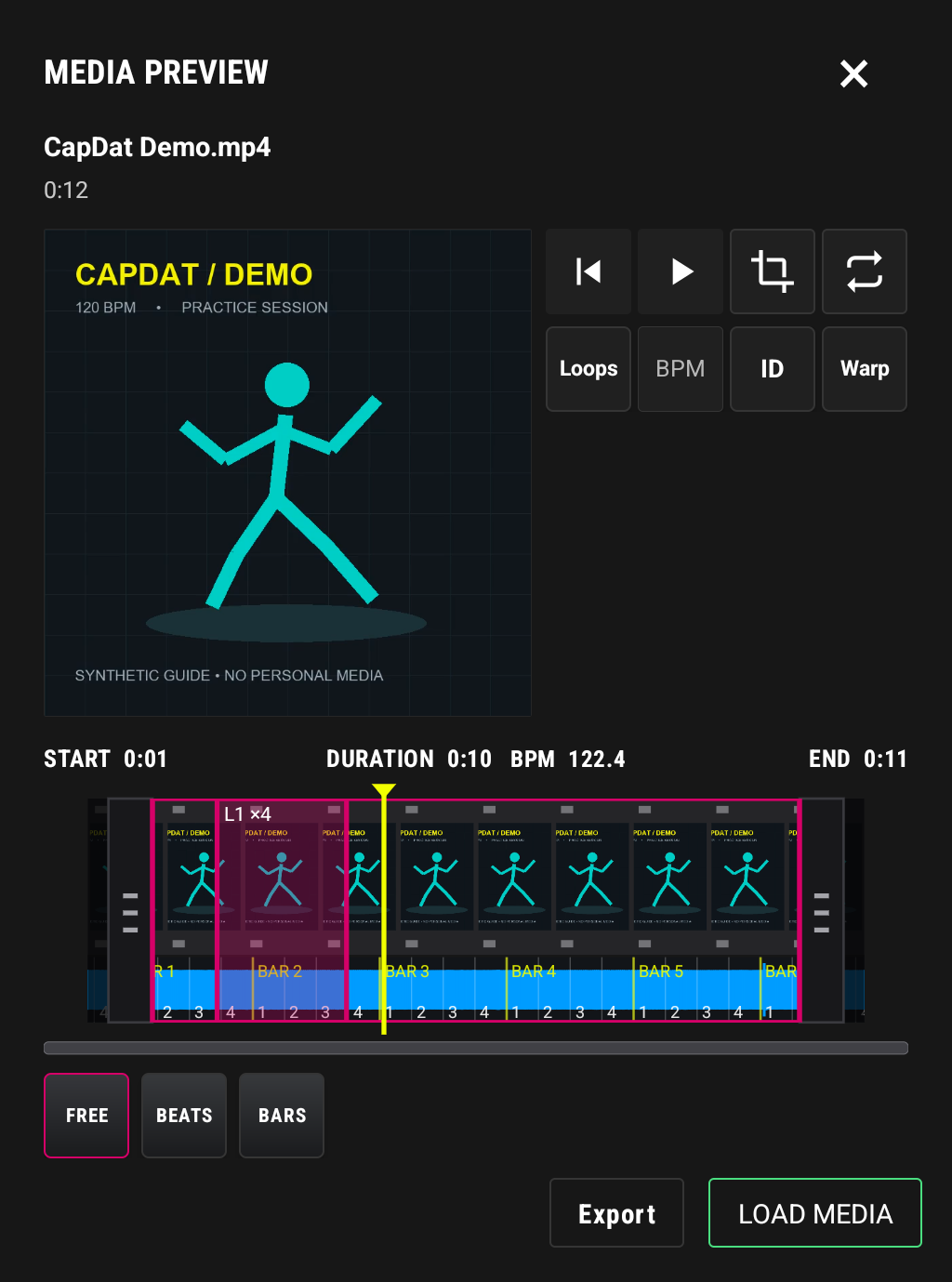
Load audio or video from your phone, choose the section you want, and build a loop worth practicing. See the selected duration and BPM together as you adjust the grips.
- Trim by free time, beats, or bars.
- Save loops and return to the moments you want to repeat.
- Use a metronome when you want to practice without a track.
At capture time, choose your guide track, microphone, or metronome and set the mix that works for you.
Find your pace.
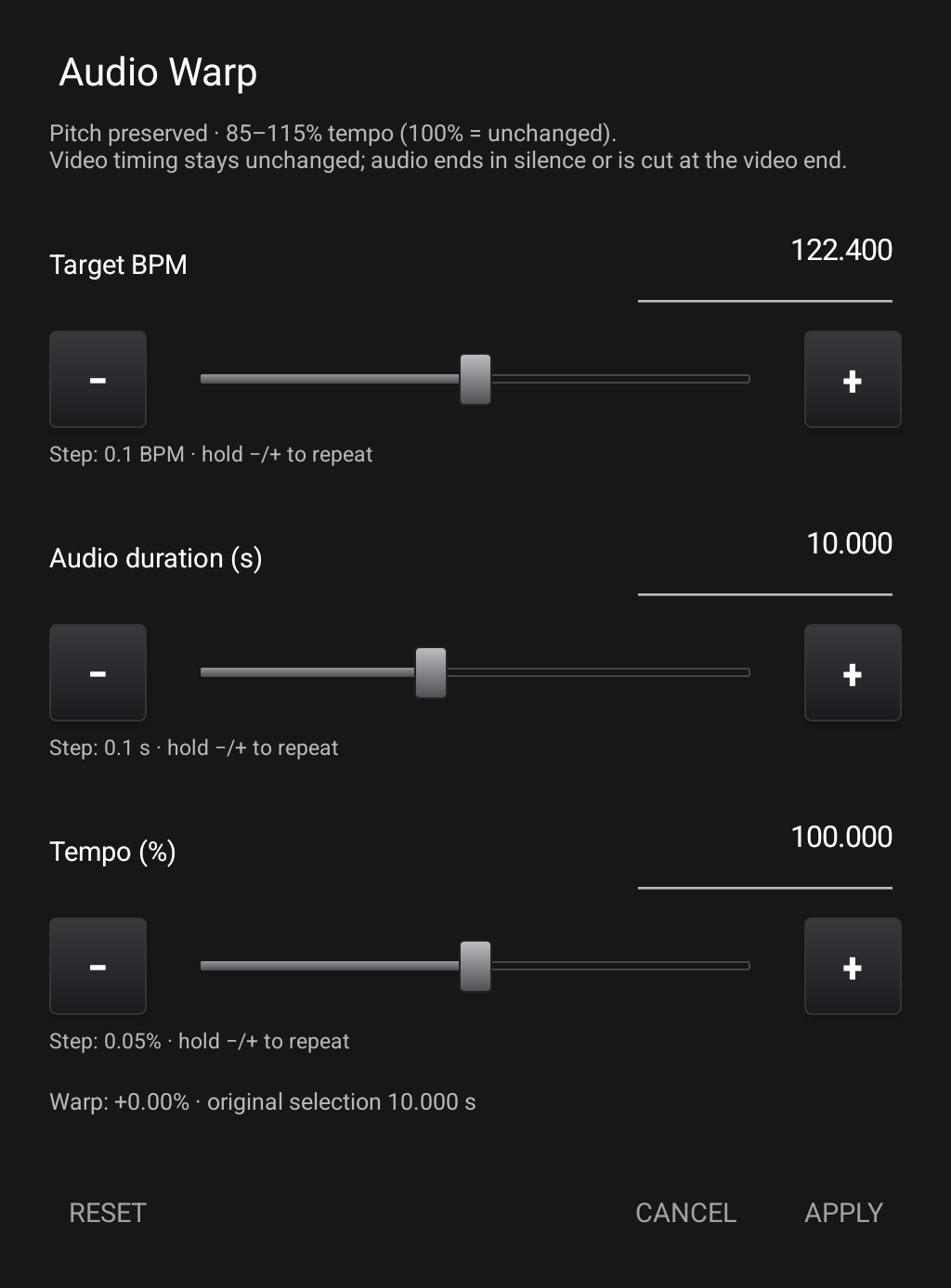
Slow a section down to learn it. Bring the tempo up when you’re ready. Audio warp adjusts BPM, duration, or percentage while preserving pitch.
- Dial in a value or fine-tune with sliders and step controls.
- Keep edits reversible while you preview.
- Carry the tempo adjustment into TrackDat with the source media.
A capture is
just the beginning.
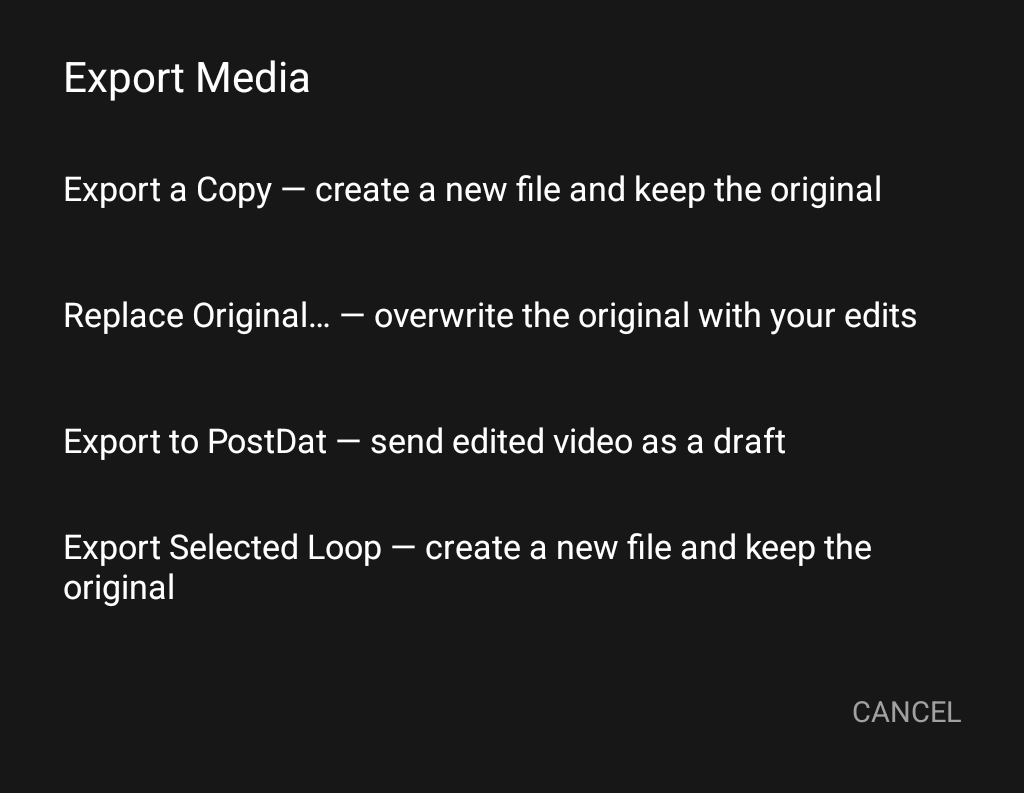
Export a new file, send a project to TrackDat for motion editing, or send a ready video to PostDat as a draft. Your next step is your choice.
- Keep a separate export, or explicitly confirm replacing the original.
- Transfer original sources and edit information to TrackDat.
- Send suitable videos directly to PostDat for review and publishing preparation.
Screens from the Android app. Editing examples use demonstration media; controls may vary with the installed version.
Pair the phone. Keep every source.
The bridge transfers the dancer recording, guide video, guide audio, microphone, metronome, preview mix, and the non-destructive edit manifest as separate project assets.
Checking your ShuffleDB session…
See what’s here.
See what’s next.
CapDat is in active development for Android. A public app download is not available yet.